Installation
CodArch installs in three ways. Pick the one that fits how you work; all three read your repository locally and upload no code anywhere.
| Option | What you get | Requirements |
|---|---|---|
| npm | codarch CLI + webapp served by codarch serve | Node.js 22 or newer |
| Docker | The webapp only, in a container | Docker |
| Desktop | Native app for Windows or Linux | Windows x64, or Linux x64 (.deb or AppImage) |
1. CLI and webapp with npm
Section titled “1. CLI and webapp with npm”The codarch npm package ships the CLI with the compiled webapp inside: one install.
npm i -g codarchThe package declares "engines": { "node": ">=22" }. Check yours with node --version.
Check the install and open the webapp on a repository:
codarch --versioncd path/to/your-repocodarch serve .serve analyses the repository, serves the app at http://127.0.0.1:4173 and refreshes it when
files change.
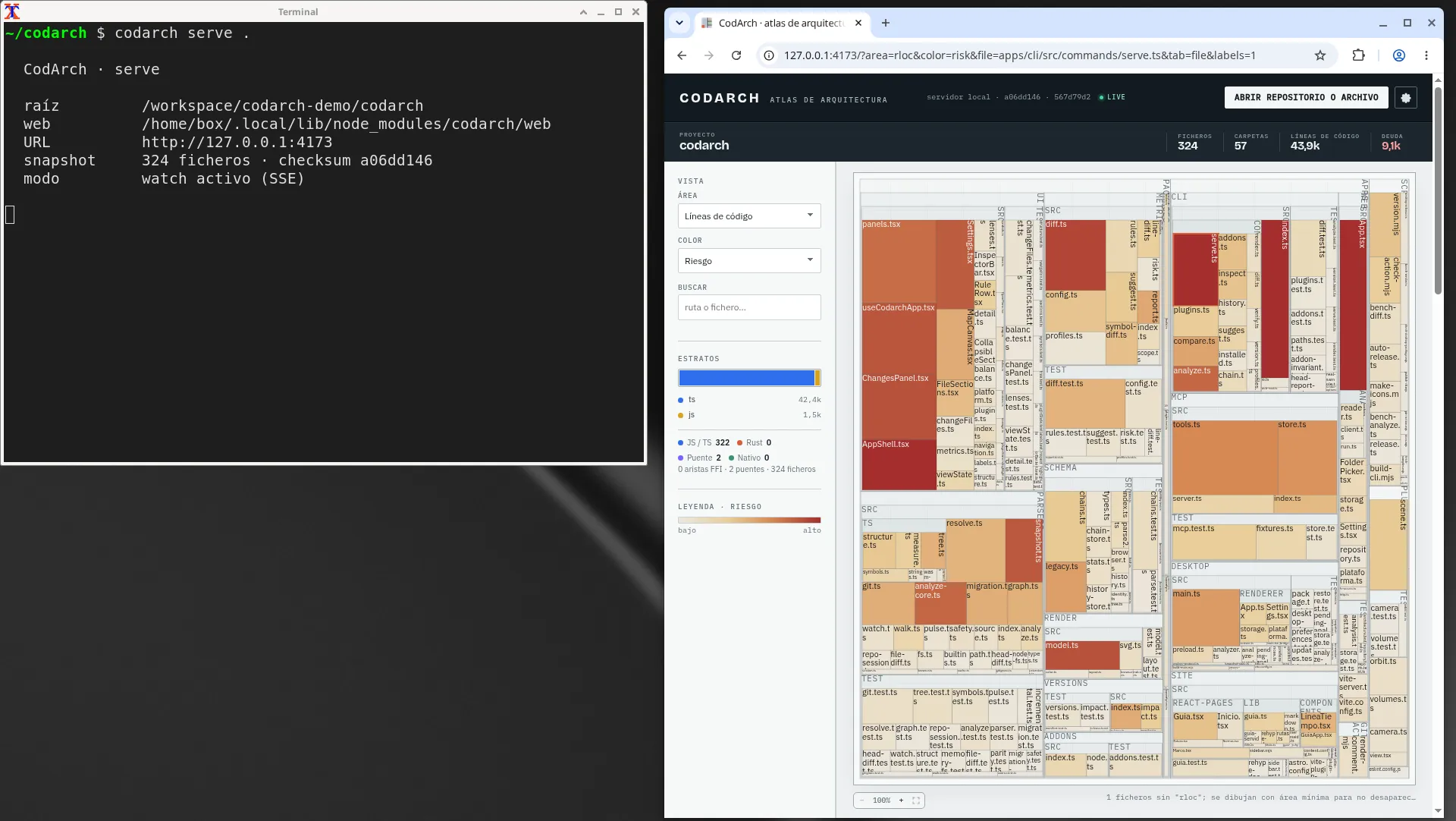
All options are in codarch serve.
2. The webapp alone with Docker
Section titled “2. The webapp alone with Docker”The ghcr.io/jaminsmoke/codarch-web image is a codarch install with the webapp inside. It runs
codarch serve /workspace --host 0.0.0.0 --port 4173, so you only mount your repository at
/workspace and publish port 4173:
docker run --rm \ -p 127.0.0.1:4173:4173 \ -v "$PWD:/workspace:ro" \ ghcr.io/jaminsmoke/codarch-web:latestIn PowerShell, use -v "${PWD}:/workspace:ro". Then open http://127.0.0.1:4173.
- The mount is read-only (
:ro): the app does not write to your repository. - Publish the port on
127.0.0.1only: it is not a network service. - The image includes
gitto read churn and history, and a healthcheck on/data/meta.json. - Every release publishes two tags:
latestand the exact version (for example0.3.36).
With Docker Compose (if you cloned the repository)
Section titled “With Docker Compose (if you cloned the repository)”The repository’s docker-compose.yml builds the image from source. It is meant for people working
on a CodArch clone; to use the app, docker run is enough. CODARCH_REPO is the host path
mounted at /workspace (the current folder by default):
CODARCH_REPO=/path/to/your-repo docker compose up --buildOnly Compose reads CODARCH_REPO; the container does not. With docker run, the path goes in -v.
3. Desktop app
Section titled “3. Desktop app”Download the installer from the latest release on GitHub Releases:
| System | File | Notes |
|---|---|---|
| Windows x64 | codarch-<version>-setup.exe | NSIS installer, per user; lets you pick the folder and creates shortcuts. |
| Linux x64 | codarch-<version>-amd64.deb | System install (sudo apt install ./codarch-….deb). |
| Linux x64 | codarch-<version>-x86_64.AppImage | No install: chmod +x and run. |
The installers are not signed: Windows SmartScreen may warn when opening the .exe
(“More info” → “Run anyway”). There is no macOS installer yet.