Updates
CLI (npm)
Section titled “CLI (npm)”codarch version --check # asks npm whether a newer version existsnpm i -g codarch@latest # installs the latest onecodarch version --check queries the npm registry and tells you whether a newer version exists; it exits 1 only if the check failed.
Docker
Section titled “Docker”The latest tag moves with every release; an exact version (0.3.36, …) never changes.
docker pull ghcr.io/jaminsmoke/codarch-web:latestThen start the container again. For reproducible setups, pin an exact version and bump it by hand.
With Compose from a clone: git pull and docker compose up --build.
Desktop app
Section titled “Desktop app”The app updates itself on Windows and Linux. On start it checks the GitHub releases, picks the highest version (prereleases included) and downloads the installer in the background. The main window shows no notice: the status lives in Settings › Updates (Ajustes › Actualizaciones), with “Check now” and the «Actualizar y reiniciar» (Update and restart) button.
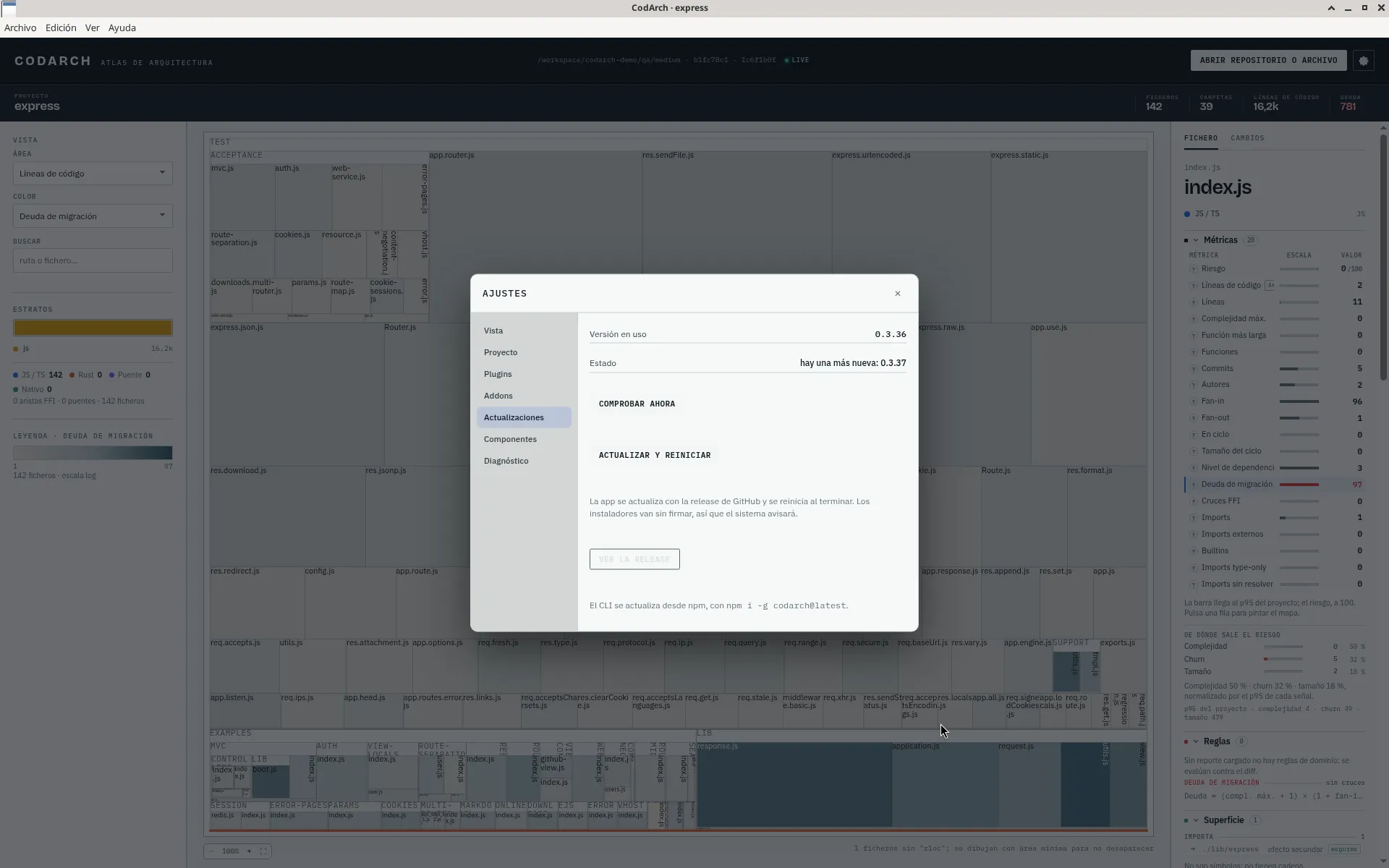
Since 0.3.37, pressing «Actualizar y reiniciar» installs the new version and reopens the app by itself. If you do not press it, the update is applied when you quit the app.
| Install | How it is applied |
|---|---|
Windows (.exe) | NSIS installer with differential download. |
| Linux AppImage | Replaces the AppImage in your user folder, no permissions needed. |
Linux .deb | Installed with dpkg: the system asks for your admin password. |
macOS has no auto-update: there is no signed installer yet.